
Animate old photos — see a memory move again
Old family portraits, childhood snapshots, and photos of people no one ever filmed — PicAlive gives them natural motion, so a smile or a wave you never got to see finally happens.
The most emotional thing your camera roll can do
Some moments only exist as a single still frame — a grandparent's portrait, a wedding photo from before video was everywhere, a childhood picture of someone you miss. PicAlive turns that frozen frame into a few seconds of gentle, lifelike motion, and it takes exactly one tap.
- Works on scanned, photographed, or screenshotted prints
- Colorizes and animates faded black-and-white portraits
- Gentle, respectful motion — a smile, a blink, a wave
- Restores the feeling of the moment, not just the image
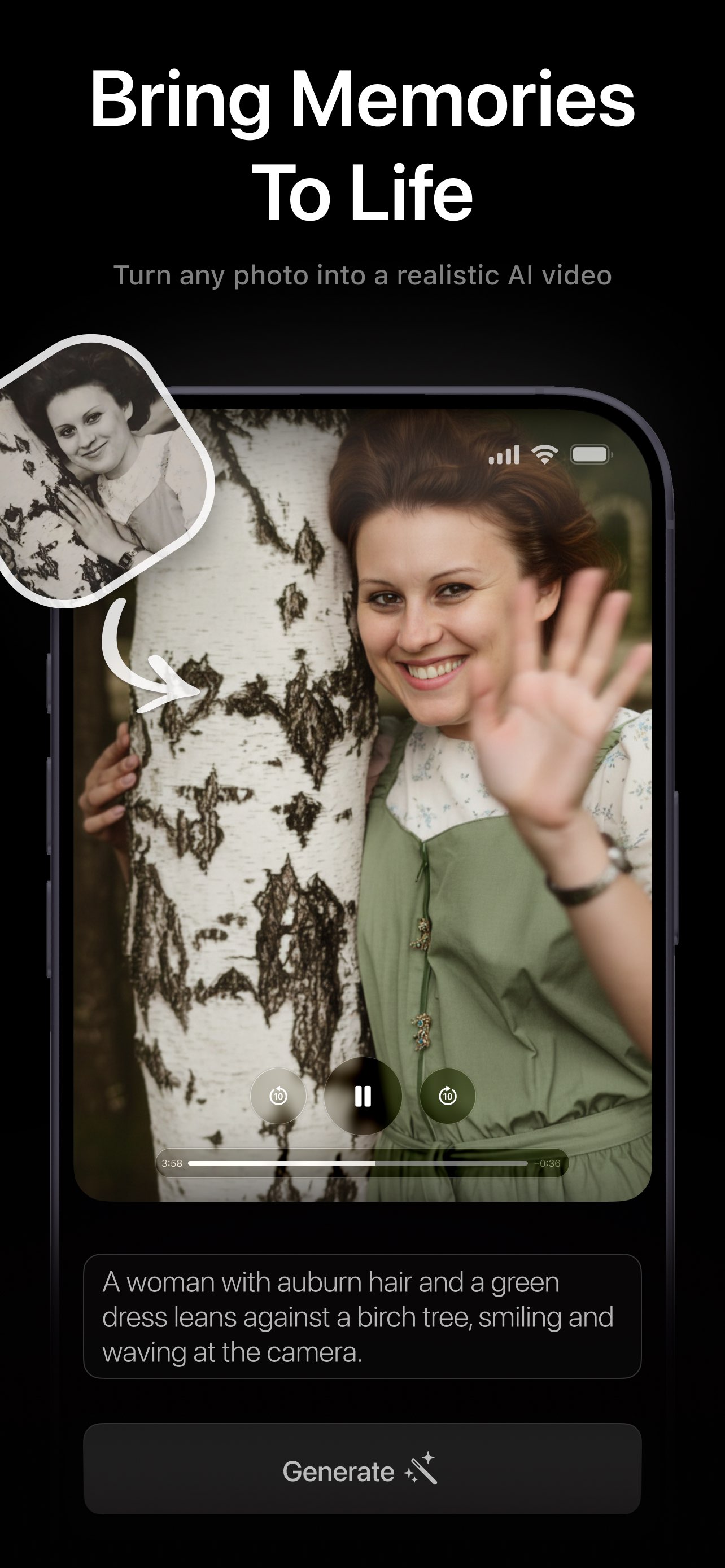
Three tips for animating old photos
Old prints have quirks that new photos don't. A minute of preparation makes the animation dramatically better.
Capture the print flat and bright
Photograph or scan the print straight-on in even light, avoiding glare and shadows. The clearer the face, the more natural the motion.
Repair damage first
For torn, creased, or blurry prints, run the image through a photo restorer such as FxAI's Restore tool, then animate the clean version.
One clear subject works best
A portrait with a visible face gives the most moving result. For group photos, crop to the person whose moment you want to relive.
Restore first with FxAI, then bring it to life
Damaged or faded print? FxAI's AI photo restoration — built by the same AI Journey team — unblurs, repairs, and colorizes old photos in one tap. Restore the image there, then animate the result in PicAlive.
Old photo animation questions
Can PicAlive animate very old or black-and-white photos?
How do I get an old printed photo into the app?
Will the person in the photo really look like themselves?
Should I restore a damaged photo before animating it?
More PicAlive features
Every part of PicAlive is built around the same one-tap loop. See what else it does.
Bring a memory back to life
Download PicAlive free and watch an old family photo move for the first time.
Rated 4.8 by 2M+ happy users